Plugins
Gifts for Music Producers: Plugins, Vocal Presets and Sample Packs
Buying a gift for a music producer is harder than it looks. Most of what they want lives inside a computer, the names all sound alike, and the wrong format...
Ableton Live comes with a strong set of stock devices, and most producers still add a handful of third-party plugins for the jobs Live does not cover on its own: acid lines that write themselves, rave stabs, build-ups that land on the bar, hi-hat patterns, glue on the mix bus and vocals that sound finished. This guide covers the plugins worth adding to an Ableton Live setup for house, techno, EDM, hip-hop and vocals, where each one sits in a Live set, and how to keep a short list you will actually open.
Every plugin mentioned here comes from the plugins for Ableton Live collection. They ship as VST3 and AU, on Mac and Windows, so they load in Live on both systems.
Live treats third-party plugins the same way as its own devices, with a few details worth knowing before you choose anything:
After installing, open Live's preferences, go to the Plug-Ins tab, make sure the VST3 system folder (and Audio Units on Mac) is switched on, then rescan. If a plugin still does not appear, the guide on how to install VST3 and AU plugins on Mac and Windows covers the usual folders and fixes.
Club music in Live is mostly about loops that evolve over time and sounds that cut through on a big system. Three instruments cover a lot of that ground.
Squelch is a monophonic acid bass: a saw or square oscillator into a resonant four-pole diode filter, a filter envelope, accent, slide between tied notes, overdrive and a tempo-synced ping-pong delay. A 16-step sequencer is built in, with note, octave, accent, slide and gate on every step and eight patterns per preset, locked to the song position. In Live that means you can drop it on a MIDI track, let the internal pattern run, automate CUTOFF and ENV MOD across a sixteen-bar section, and drag the pattern out as MIDI when you want to edit it in a clip.
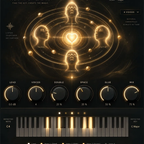
Riot plays the sounds of early rave, hardcore and techno: hoovers, minor stabs fired from one key, the bright rave piano, organ stabs, Detroit and Chicago chords, basses and leads. Every sound is synthesized, with up to four layers per preset, and each layer goes through a LO-FI stage that reduces bit depth and sample rate the way old samplers did. It is the plugin to reach for when a techno or breaks track needs a stab that feels dirty rather than polished.
Arcade is a two-oscillator subtractive synth with a sub oscillator, noise, a four-pole ladder filter, one ADSR, glide, chorus, ping-pong delay and an arpeggiator. Its presets are filed in eight families, including Basses, Plucks, Arps and Sequences, which makes it a quick source for a house bassline or a looping arp in Session view.
Arrangement is where many Live projects stall: the eight-bar loop sounds good, but the transitions into the drop take hours. These plugins are built for that part of the track.
If you already use Live's own Beat Repeat, Spool and Flare cover different ground: Flare is a rhythmic effects sequencer with twelve effects on a 16-step grid (filter, delay, stutter, tape stop, reverse and more), so you paint a fill instead of hoping a random repeat lands in the right place.
Live's drum workflow is built around Drum Racks and MIDI clips. Two plugins slot into that workflow without changing it.
Hatch writes hi-hat patterns in Trap, Drill, House, Boom Bap or Rage styles and plays them with its own synthesized hats. Every pattern comes from a seed number, so the same seed always gives the same groove, and the pattern drags onto a track as a MIDI file. Drop that file on a Drum Rack and your own hat samples play the groove.
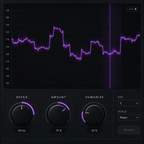
Lock deals with a problem that is hard to hear on headphones: a kick and a bass slightly out of time or out of phase, cancelling each other on every hit. Put Lock on the bass, set the kick as its sidechain source in Live, and it measures the offset and polarity, then locks a fractional delay so both add up. For the rest of the low end, Strobe draws a tempo-synced volume curve on pads or basses to make room for the kick without a compressor.
Recording and mixing vocals is not the first thing people associate with Live, yet many artists track and finish vocals in it. The simplest upgrade is a single plugin that holds the whole chain.
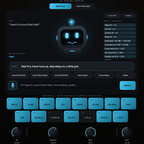
VoxShift stacks tuning, EQ, compression, saturation, doubler, delay, reverb and limiter in one window and ships with 409 ready-made chains for singing, rap, doubles, ad-libs and SFX. Auto Key listens to the vocal, finds the key and locks to it in about two seconds, and auto-gain keeps the output at the level of the dry vocal so you can flip through chains without chasing volume. In Live, save the result as a device preset or inside a rack so every new vocal track starts from the same chain.
If you prefer to build the chain from Live's stock devices instead, the Ableton vocal presets collection holds ready-made vocal chains for Live, and the guide on installing vocal presets in Ableton Live shows where the files go.
Live is a sampling workstation at heart, and a few plugins push that side further:
The last stage of a Live set is often the least organised: a stack of devices on the main track added one by one. Weld replaces part of that stack with one knob. Pick one of six engines and turn AMOUNT; inside, a compressor, transient stage, saturator, tone shaper, stereo stage, clipper and look-ahead limiter work together. CONTAIN holds the output peaks at the input peak level, so the track gets denser without extra peak level. It sits well on a drum group or on the main track at the end of the chain.
A long plugin folder slows down Live's browser and your decisions. A simple way to pick is to start from the music you make:
If you split your time between DAWs, the same plugins work elsewhere too: see the guides to the best FL Studio plugins and the best plugins for Logic Pro.
Yes. They ship as VST3 and AU on Mac and as VST3 on Windows, and Live loads both formats once the matching folder is enabled in the Plug-Ins preferences.
Yes. Put the plugin in a rack, use Configure to expose the parameters you want, then map them to the rack macros, which Push and most controllers follow.
On the vocal audio track itself, with shared reverbs and delays on return tracks. Save the chain as a preset so every new vocal track starts from it.