Plugins
How to Make Vocals Sound Fuller in Any DAW
A thin vocal is one of the most common problems in home recordings. The take is in tune and on time, yet next to the beat it sounds small, nasal...
A rap vocal has a different job from a sung one. The words have to land on the beat, stay readable over a loud 808 and keep their attitude when the hook doubles them. That is why the best plugins for rap vocals are not always the ones people recommend for singers: you need tight timing, controlled tone and ad-libs that sit behind the lead, more than lush reverb.
This guide goes through a rap vocal chain one job at a time, says what kind of tool does each job, and names the TuneDrip plugin that does it if you want one. Every DAW ships with a usable EQ, compressor and reverb, so start there and add a dedicated plugin for rap vocals only where your stock tools slow you down.
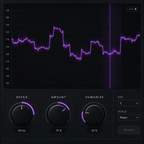
Most modern rap has some pitch correction on it, even on verses that sound natural. Melodic trap hooks often use it hard, as an effect. The setting that matters is the retune speed: fast for the robotic snap, slower for a correction nobody hears.
Put tuning first in the chain. Every plugin after it then works on a steady pitch.
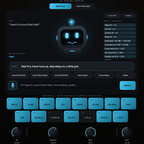
A rap chain usually means six to ten plugins: tuning, EQ, two compressors, de-esser, saturation, doubler, delay, reverb and a limiter. Building it from scratch on every session is slow, and the order matters. An all-in-one vocal chain plugin keeps everything in one place and loads a finished starting point in a click.
Which one fits depends on how you like to work. VoxShift is for browsing presets, MIXI for asking in plain words with artist-style starting points, Booth for describing the sound without any artist names.
This is where rap vocals are won or lost. The low end of a rap beat is busy, so the vocal has to own the upper mids where the consonants live.
Your DAW's stock EQ and compressor do all of this. If a voice has a harsh ring that a static EQ cannot catch without dulling it, a dynamic resonance tool helps: Smooth is a resonance suppressor plugin that finds the narrow peaks sticking out of the balance and cuts them only while they last, with DELTA to hear exactly what it removes.
For a longer walkthrough on this problem, read how to make vocals cut through the mix.
A rap double works when it lands with the lead. A loose double on a fast verse sounds like a mistake, not a style. You have two routes: record the double yourself and tighten it, or generate copies from the lead.
A common rap layout: lead in the center, one tight double under it on the hook only, and the hook stacked wider than the verse.
Melodic hooks often need a harmony line. Singing one is best if you can; generating it is faster if you cannot.
Ad-libs carry a lot of the energy in rap, and they are the easiest part to get wrong. The usual rule: they should be different from the lead, not just quieter.
Doubles, harmonies and ad-libs each get their own track or bus with a lighter version of the same chain.
If you use your DAW's stock plugins and want a starting point instead of a new plugin, a vocal preset loads a full chain built for that DAW. The hip hop vocal preset bundle collects 40 rap vocal chains, and vocal presets are sorted by artist style and DAW.
For a plugin set built around one workflow, the Trap Vocal Chain bundle groups VoxShift for the lead, Harmony for the stacks and Echoes for wide ad-libs.
Black Friday: code BLACKFRIDAY works on eligible TuneDrip plugins and plugin bundles through December 1, once per customer. Spool is not included. VoxShift, MIXI, Booth, Tune Live, Trace, Stack, Harmony, Echoes, Pivot and Smooth are all eligible. See the Black Friday plugin guide for picks by use.
An EQ, a compressor, a de-esser, a delay and a reverb cover most of it, and every DAW includes them. Pitch correction, a doubler and an alignment tool are the usual additions for modern rap.
Not always. Many verses use light correction or none, while melodic hooks often use fast retune as an effect. Decide per section.
Usually too little compression, too much low end in the vocal, or reverb on the lead. Level the performance, high-pass it and move the space to the ad-libs.
TuneDrip plugins come as VST3 and AU, so they load in FL Studio, Ableton Live, Logic Pro, Studio One, Cubase, Reaper and other hosts that support those formats.
Start with tuning and compression on one verse. Once the words sit on the beat, add doubles and ad-libs around them with VoxShift or your own stock chain.