Plugins
Gifts for Music Producers: Plugins, Vocal Presets and Sample Packs
Buying a gift for a music producer is harder than it looks. Most of what they want lives inside a computer, the names all sound alike, and the wrong format...
Plugin bundles promise a lot in one purchase, and the biggest ones list dozens of tools. The trouble is that a folder full of plugins you never open does not make a single track sound better. This guide looks at plugin bundles from the other side: what a bundle should contain to earn a place in your sessions, how to match one to the way you actually work, and how the TuneDrip plugin bundles are built around one job each instead of a long list.
A plugin bundle is a set of tools sold together, usually with one license per plugin. There are three broad kinds you will meet:
None of these is wrong. The right one depends on what slows you down today. If you keep stopping in the middle of a session to hunt for the right effect, a workflow bundle usually solves more than a giant collection.
Every TuneDrip plugin bundle is three plugins that follow each other on one task. Here is what each one is for and how the plugins inside it fit together.
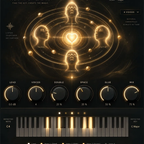
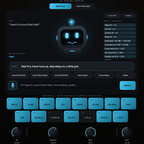
The Trap Vocal Chain follows the three steps of a trap vocal. VoxShift tunes and shapes the lead: it stacks tuning, EQ, compression, saturation, doubler, delay, reverb and limiter in one window and ships with 409 ready-made chains for singing, rap, doubles, ad-libs and SFX. Its Auto Key listens to the vocal and locks to the key in about two seconds. Harmony then builds diatonic harmonies in the key of the song, thirds, fifths and octaves, each with its own level and pan, while keeping the formants of the original singer so the stack sounds like you. Echoes finishes the job on the ad-libs: an analog-style chorus with Rate, Depth, Width and Mix that widens a voice in seconds.
Pick it if you record your own vocals and spend most of your session time getting the lead and the backing parts to sound finished.
The 808 Workflow covers the low end from the first note to the final mix. Quaver synthesizes the 808 from scratch, with no samples: a sine with an initial pitch drop, added harmonics, soft-clipping drive, a sub one octave below and a long decay. Legato mode gives the glide between held notes that drill relies on, and it comes with 990 presets across eleven genres. Punch makes the drums hit with seven modules, transient punch, low-end body, boost, top-end sizzle, heat, clip and mix. Sub Heat glues the low end with four saturation characters, which is what makes an 808 audible on phone speakers and laptops.
Pick it if your beats sound good on headphones but the low end disappears everywhere else.
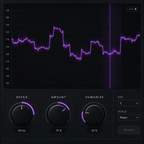
The Lo-Fi Kit is three layers of age for a loop. Nebula is a lo-fi multi-effect in six columns, Noise, Wobble, Distort, Digital, Space and Magnetic, each with its own switch and mix, so you can run one flavor or stack all six. Static adds VHS warble and analog decay from an XY pad, with Crush for bit reduction and video noise. Tape gives cassette wobble, hiss and warmth from eight cassettes, with a Blend control that keeps the effect aligned with the dry signal.
Pick it if you make lo-fi, boom bap, bedroom pop or anything where a clean sample sounds too new.
The Space Pack handles depth and transitions. Drift is a spatial reverb with a position point you move around the room, left to right and front to back, so a vocal can sit close or stand at the far end of a hall. Ghost turns any sound into a reverse reverb transition: capture the input or drop a file, let it render the reversed tail, then drag the result into your session. Mirage models bucket-brigade delay chips and adds a 16-step pitch sequencer, so each repeat can change note.
Pick it if your mixes feel flat and your transitions rely on the same stock reverb every time.
A bundle makes sense when you would use at least two of its plugins on the same project. If only one tool solves your problem, buy that one alone and keep your plugin menu short. Some examples:
The first hours with a bundle decide whether it becomes part of your workflow or sits unused. A simple routine helps:
If you are still unsure where to start, use the job you do most often as the guide:
If you work on vocals with presets rather than plugins, our vocal preset bundles group chains by genre for your DAW's stock plugins, for example the hip-hop vocal preset bundle.
Black Friday: until December 1, TuneDrip plugins and plugin bundles take an extra 20% with code BLACKFRIDAY at checkout. Our Black Friday plugin guide lists what to pick by use.
A plugin bundle is worth it when every plugin inside it has a job in your next project. Start from the part of the track that slows you down, check that the formats run in your DAW, and prefer a short chain that works together over a long list you will scroll past. Each TuneDrip bundle is built that way: three plugins, one job, one lifetime license per plugin on three computers.