
Plugins
Best Vocal Doubler Plugins for Wider Vocals
A vocal doubler plugin makes one take sound like two or more, so a lead vocal gets wider, thicker and more confident without recording the part again. It is one...
A vocal chain is the series of processors a voice runs through before it sits in a mix: cleanup, pitch correction, EQ, compression, de-essing, saturation, width, delay and reverb. Building one by hand means loading eight to fifteen plugins, putting them in the right order and balancing every gain stage. A vocal chain plugin puts that whole chain in a single window. This guide explains what an all-in-one vocal plugin does, what to check before you pick one, and how the main kinds of tools compare, including the four TuneDrip vocal plugins built around this idea.
A vocal chain plugin is one insert that contains several vocal processors wired in a fixed or editable order. Instead of a column of separate effects on your mixer, you get one plugin with a module for each stage and a preset system that recalls the whole chain at once. If you want the theory behind the order of the stages, our guide to the vocal chain walks through each step and why it sits where it does.
The idea is not new. Large consoles have always had a channel strip with EQ and dynamics on every input, and most DAWs ship channel strip presets that load several stock plugins in one go. What has changed is how much a single plugin can now hold: tuning, doubling, delay and reverb live next to the EQ and the compressor, and the presets can be dialled in for a specific style of vocal.
The trade-off is flexibility. A dedicated EQ or compressor may offer more detail than a module inside a larger plugin, so the best all-in-one tools let you open each stage and adjust it, rather than hiding everything behind a single knob.
Check that the chain follows the order an engineer would use: gate and pitch correction first, then tone and dynamics, then de-essing and air, then width and time-based effects, and a limiter last. A chain that compresses before it tunes, or puts reverb before the de-esser, makes cleanup harder.
Presets are a starting point. You will want to switch a module off, change the delay time to match your song or pull the reverb back. Look for a view that opens every module with its own controls.
Most modern vocal chains include tuning. Listen to how it handles slides and held notes, and whether it keeps the character of the voice. A formant-preserving engine sounds more natural than a simple pitch shift.
Tuning and lookahead processing add delay. Your DAW compensates for it on playback, but if you want to record through the plugin while you listen, check the stated latency and whether there is a low-latency mode for tracking.
When presets change the output level, the louder one always sounds better. A plugin that keeps the output close to the level of the dry vocal lets you compare chains honestly.
Every major DAW can save a chain of its own stock plugins as one preset: channel strip settings in Logic Pro, mixer state presets in FL Studio, audio effect racks in Ableton Live, track presets in Cubase and Studio One. They cost nothing extra and load fast. Their limit is that you build and maintain the chain yourself, and the preset only works in that DAW. If you work this way, our vocal presets are built from stock plugins for each major DAW, so you get a finished chain without buying a separate plugin.
Some vocal suites, such as iZotope Nectar, combine several vocal modules with an assistant that listens to the voice and proposes a starting chain. They are powerful and detailed, and they suit engineers who want to fine-tune a suggestion module by module.
This is the approach of the TuneDrip vocal plugins: a full chain inside one plugin, shipped with a large library of finished chains for specific styles of vocal, and a way to change the sound quickly without opening every module. The four plugins below take that idea in different directions.
VoxShift is the TuneDrip vocal chain plugin. It stacks tuning, EQ, compression, saturation, a doubler, delay, reverb and a limiter in a single window, and ships with 409 ready-made chains built for singing, rap, doubles, ad-libs and sound effects.
VoxShift suits producers who want to audition many finished vocal sounds quickly and then nudge the one that fits.
Booth is a complete vocal chain of fourteen modules in the order a studio would use them: gate, tuning, a low voice, EQ, two compressors, de-esser, air, doubler, chorus, tempo-synced delay, an airy octave-up halo, reverb and a safety limiter.
What makes it different is how you change it. Instead of hunting through fourteen panels, you type what you want: "remove the reverb and the delay, and make my voice wider", "warmer", "hard tune", "delay 1/8" or "key of A minor". Booth makes the changes and lists each one, before and after, and UNDO takes the whole request back.
Booth is a good fit if you know the sound you want but not which knob gets you there.
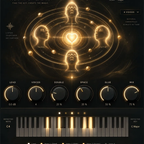
MIXI takes the same idea one step further. A small animated bot fills the left of the plugin. You press the mic and say what you want into the same microphone you record with, or type it in the text box. MIXI answers in one sentence and shows every value it touched, before and after.
MIXI suits artists who record and mix themselves and would rather describe a sound than set it up module by module.
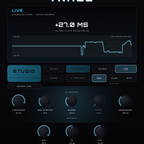
Sometimes you already have a chain you like and only want better pitch correction at the top of it. Tune Live is a real-time auto tune plugin with a PSOLA engine that leaves the formants in place, so the singer still sounds like the singer.
Insert it first, then follow it with your own chain or with one of the plugins above with its tuning module switched off.
| If you want | Choose |
|---|---|
| Hundreds of finished chains to audition quickly | VoxShift |
| To change a chain by typing what you want | Booth |
| To speak to the plugin and start from an artist-style chain | MIXI |
| Only the pitch correction stage | Tune Live |
| A chain made of your DAW's stock plugins | Vocal presets for your DAW |
Need extra width on top of any of them? Add Stack for doubles or Harmony for harmonies after the chain. You can browse every TuneDrip vocal tool in the vocal plugins collection.
Not better, faster. Separate plugins give you the most control over each stage. A vocal chain plugin gives you a finished, balanced chain in one click, and the good ones still let you open each module.
As an insert on the vocal track, usually first. If it includes tuning, do not add a second pitch correction plugin before it.
Yes, if the latency is low enough for you. MIXI has a LIVE mode for tracking. Otherwise use the direct monitoring of your audio interface while you record and hear the chain on playback.
VST3 on Mac and Windows, and AU on Mac, so they load in the major DAWs that support those formats.

A vocal doubler plugin makes one take sound like two or more, so a lead vocal gets wider, thicker and more confident without recording the part again. It is one...
A harmonizer plugin takes one vocal take and adds new voices at other pitches, so a single lead can turn into a two, three or four-part harmony without recording every...

Plugin formats by DAW, the folders VST3 and AU files go to on macOS and Windows, and the exact menu to rescan plugins in FL Studio, Ableton, Logic Pro, Cubase, Studio One, REAPER and Bitwig.