
Best Drum Kits for GarageBand: Trap, Hip-Hop and House
GarageBand is where a lot of producers make their first beats, and it can take you much further than most people think. Its weak spot is drums. Drummer and the built-in Apple Loops are great for pop, rock and sketches, but the kicks, snares and 808s of a trap, hip-hop or house record come from the kit you load. This guide explains what makes a drum kit easy to use in GarageBand, how to get one-shots and loops into a project on a Mac, and which TuneDrip drum kits and drum sample packs fit the styles people produce most.
What to look for in a drum kit for GarageBand
GarageBand has fewer drum tools than a full DAW, so the layout of the kit matters even more. A well-organized kit makes the difference between a beat in ten minutes and an evening spent searching folders.
- WAV audio. GarageBand opens WAV files directly: drag one onto an audio track and it plays. Every TuneDrip pack ships its audio as WAV, so nothing needs to be converted first.
- Loops with the tempo in the file name. Loops are the fastest way to build a groove in GarageBand. A BPM in the name tells you right away whether a loop matches your project tempo, and loops that match can be dropped straight onto the timeline.
- One-shots sorted by type. Separate folders for kicks, snares, claps, hats, percussion and 808s let you audition sounds from the Finder and pick the right hit without opening every file.
- Construction kits with stems. A construction kit gives you the drums, the 808 and the melody of a full beat on separate files. In GarageBand, each stem goes on its own track, so you can mute, swap or rearrange parts and learn how the groove is built.
- MIDI patterns. MIDI files can drive a software instrument track, which lets you keep the rhythm of a pattern while you change the sound.
How to load a drum kit in GarageBand on a Mac
Unzip the kit into one sounds folder that you keep for every pack. Keeping all kits in the same place makes them easy to find from the Finder and from GarageBand's own file browser.
- Set the project tempo first, so loops line up with the grid from the start.
- Drag a drum loop from the Finder onto an empty area of the timeline. GarageBand creates an audio track and places the loop where you drop it.
- To make a loop follow tempo changes, drag it into the Loop Browser. GarageBand adds it to your loop library, and from there it can be reused in any project.
- For one-shots, create an audio track for each sound: one for the kick, one for the snare or clap, one for the hats. Drag the hit onto the grid, then copy it across the bar. Option-drag duplicates a region quickly.
- Give the 808 its own track. Short 808 hits can be placed and copied like drums; for a sliding 808 line, a construction kit stem or a loop is often the quickest route in GarageBand.
Once a beat works, save the project as a template. Your next session then starts with your kit already on its tracks.
Loading kits in GarageBand on iPhone and iPad
The mobile version of GarageBand can use the same WAV files. Copy the kit to the Files app, then open the Loop Browser in your project and use the Files tab to import loops and one-shots. Shorter folders are easier to browse on a phone, so start with the loops and the core one-shots of a kit rather than the whole pack.
Best drum kits for trap in GarageBand
Trap needs a hard kick, a snare or clap that cuts, fast hats and an 808 with weight. Kits with clear folders and short, punchy hits work best in GarageBand, where each sound usually lives on its own track.
- ¥$, Kanye West - VULTURES Drum Kit is a pure drum kit: 197 WAV one-shots sorted into 808, bass, clap, cymbal, hats, kick, perc, rim, snap and snare folders, plus 9 drum loops. The loops give you a groove in seconds, and the folders make it simple to swap one sound at a time.
- Metro Boomin Essentials Vol.1 combines trap drums with 808s from clean sub to distorted, dark melody loops and construction kits. It suits GarageBand well because the construction kits hand you a complete beat to take apart.
- ICEMAN Essentials Vol.1 targets moody, melodic trap, with drums and 808s built for a darker, late-night sound.
More options sit in the trap sample packs collection.
Best drum kits for hip-hop in GarageBand
Hip-hop in GarageBand often starts with a loop: a drum loop and a melody loop on two tracks, then a few one-shots on top to reinforce the kick and snare. A kit that covers several tempo ranges saves you from hunting for new sounds every time.
- Hip Hop Essentials Vol.1 spans boom bap to melodic trap, with drums tuned for each tempo range, 808s from short to sustained and melody loops across sub-genres. It is a strong first kit for a GarageBand template.
- Don Toliver Essentials Vol.1 organizes 136 WAV files into eleven folders, including drum fills, drum loops, drum one-shots, hi-hat loops, percussion loops and top loops, with construction kits and MIDI for the melodic side. The separate hi-hat and top loops are handy in GarageBand, where layering loops is quicker than programming hats by hand.
The hip-hop sample packs collection lists the rest of the range.
Best drum kits for house and electronic music in GarageBand
House and tech house are loop-friendly by nature: a kick on every beat, then top loops, shakers and percussion loops running for whole sections. That style fits GarageBand's drag-and-drop workflow very well.
- Tech House Essentials Vol.1 includes five construction kits that show how a full club track fits together, plus loops and one-shots for your own grooves.
- Tech House Essentials Vol.2 holds more than 1,000 samples with a Latin house flavor: construction kits, drum loops and one-shots.
- Fred Again Essentials Vol.1 pairs glitchy percussion and four-on-the-floor drums with vocal chops and pads, and splits each beat into stems you can rebuild on separate tracks.
- Skrillex Essentials Vol.1 adds a drum kit of more than 100 one-shots, from punchy kicks to processed hats, next to the bass sounds for heavier drops.
Browse the electronic sample packs collection for more house and bass music kits.
Drummer or a drum kit: which one do you need
GarageBand's Drummer plays like a session musician and follows your song, which makes it ideal for pop, rock and acoustic ideas. It does not give you the specific kicks, snares and 808s that define trap, drill, modern hip-hop or club music. Many producers use both: Drummer to find a feel, then a drum kit for the final sounds. If you mostly want ideas and finished grooves, a full drum sample pack with construction kits gives you more to start from than one-shots alone.
Plugins that help drums hit harder in GarageBand
TuneDrip plugins load in GarageBand as Audio Units on macOS. The full list is in the guide to the best plugins for GarageBand and in the plugins for GarageBand collection. For drums, three of them do most of the work.
- Punch is a seven-module drum enhancer: transient punch, low-end body, boost, top-end sizzle, heat saturation, a clip stage and a mix control. Put it on the kick or snare track to add weight and bite while the clip stage keeps peaks in check.
- Sub Heat gives 808s and basses four saturation characters, so the low end stays audible on laptop speakers, earbuds and phones.
- Lock lines up the bass with the kick in time and polarity, so the low end stops thinning out on every hit. In GarageBand, use its Manual mode to shift and flip the bass by ear.
Recording vocals over your beat in the same project? The GarageBand vocal presets load a ready-made vocal chain built from GarageBand's own plugins.
Black Friday: code BLACKFRIDAY works on eligible TuneDrip plugins and plugin bundles through December 1, once per customer; it does not apply to sample packs or drum kits. The plugin bundles group several plugins by task, and the Black Friday sample packs guide helps you choose a kit.
FAQ
Can you add drum kits to GarageBand?
Yes. Drum kits in WAV format load in GarageBand on a Mac by dragging the files onto the timeline or into the Loop Browser. On iPhone and iPad, copy them to the Files app and import them from the Files tab of the Loop Browser.
Do I need Apple Loops format?
No. WAV files play as they are. Dragging a loop into the Loop Browser adds it to your library so you can reuse it in other projects.
Which kit should a beginner start with in GarageBand?
A pack with drum loops and construction kits, such as Hip Hop Essentials Vol.1 or Metro Boomin Essentials Vol.1. Loops get a beat going immediately, and the one-shots let you replace sounds as you learn.
Will the same kits work if I move to Logic Pro or FL Studio?
Yes. WAV kits work in every DAW. See the guides to the best drum kits for Logic Pro, the best drum kits for FL Studio and the best drum kits for Ableton for workflow tips in each one.
From the TuneDrip store
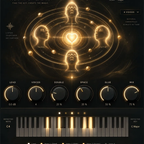 TuneDrip Harmony€49,00 · Audio plugin
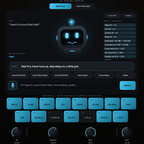 TuneDrip MIXI€49,00 · Audio plugin
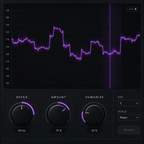 TuneDrip Tune Live€49,00 · Audio plugin
