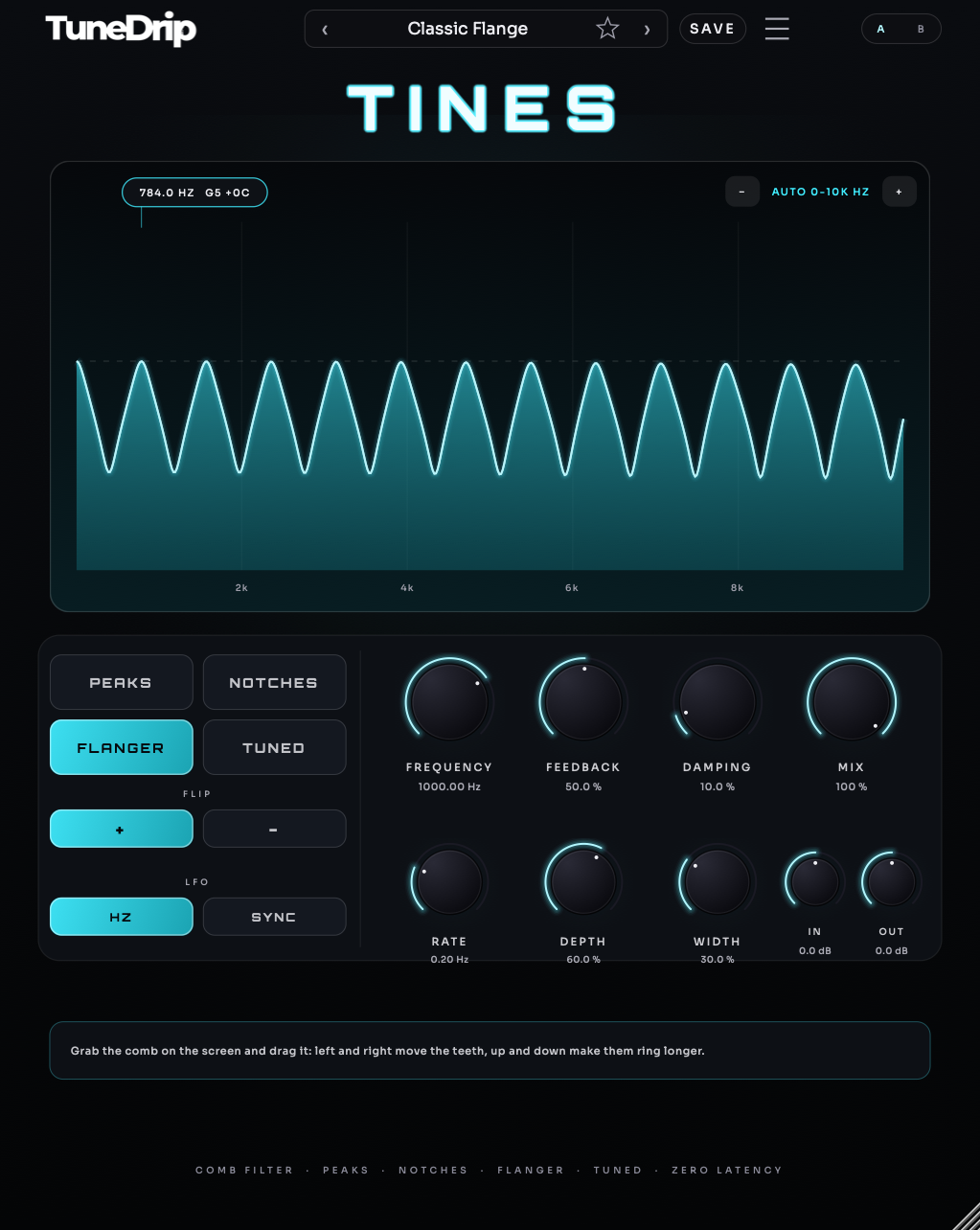
Tines

Grab the Comb. Make Any Sound Ring.

€29,00 EURRegular price €59,00 EUR-50%

VST3 · AU · Mac & Windows

Buy now

Lifetime license · 3 computers · Mac & Windows · Instant delivery by email

See Tines in action

Before / after, then the presets, on the real plugin. Sound on for the difference.

Hear Tines in action

6 previews rendered through Tines. Flip between dry and wet while it plays.
01Gentle Flange · Guitar0:00
02Classic Flange · Drums0:00
03Tuned E Comb · Piano0:00
04Moving Gaps · Synth Lead0:00
05Wide Spin Flange · Pop Vocal0:00
06Slow Comb Sweep · Beat0:00
TuneDrip Tines

A Comb Filter You Drag With the Mouse: Peaks, Notches, Flanger and Tuned Teeth.

Get Tines

What makes Tines special?

A Comb Filter You Drag With the Mouse: Peaks, Notches, Flanger and Tuned Teeth.

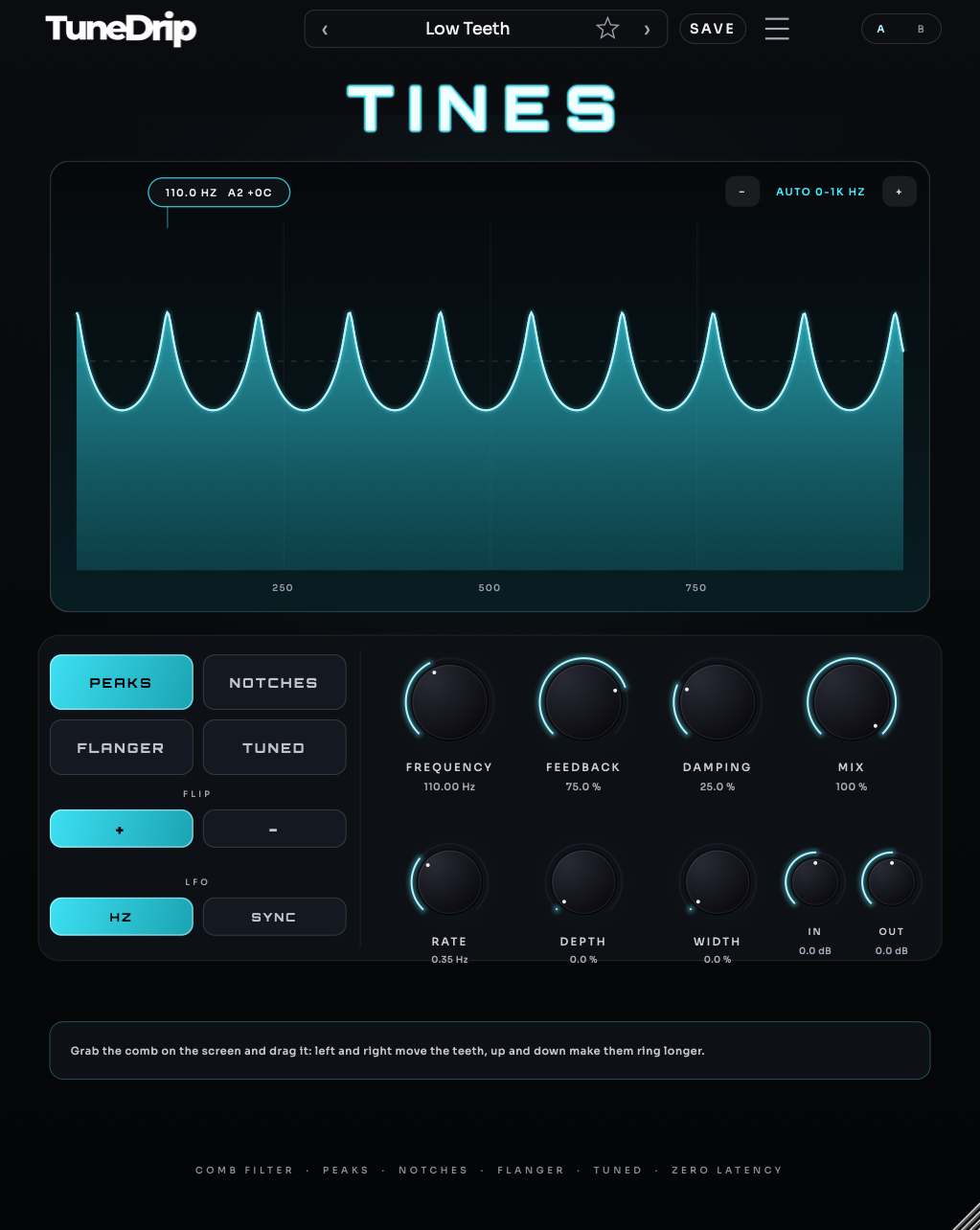
Tines puts teeth into your sound: regularly spaced peaks, all multiples of one frequency. Push the feedback and the teeth ring, so a drum loop, a noise or a pad suddenly sings at that pitch. The big screen draws the real response of the comb, follows the sweep in real time and lights up the teeth that receive signal. Grab the comb and drag it: left and right move the teeth, up and down make them ring longer.

A Comb Filter You Drag With the Mouse: Peaks, Notches, Flanger and Tuned Teeth.

Four modes cover the classic uses of a comb: PEAKS for resonant metal, NOTCHES for the hollow, phasey sound of a very short echo, FLANGER for the jet sweep, and TUNED, which locks the first tooth to the nearest note so drums ring in the key of your song. FLIP moves every tooth half a step for an odd-harmonic, octave-down colour, and the LFO sweeps the teeth up to an octave, free or locked to your bars.

14Presets
7Controls
VST3 · AUFormats
Mac · WinSystems
3Computers per licence

How does Tines work exactly?

Every control, then the three steps.

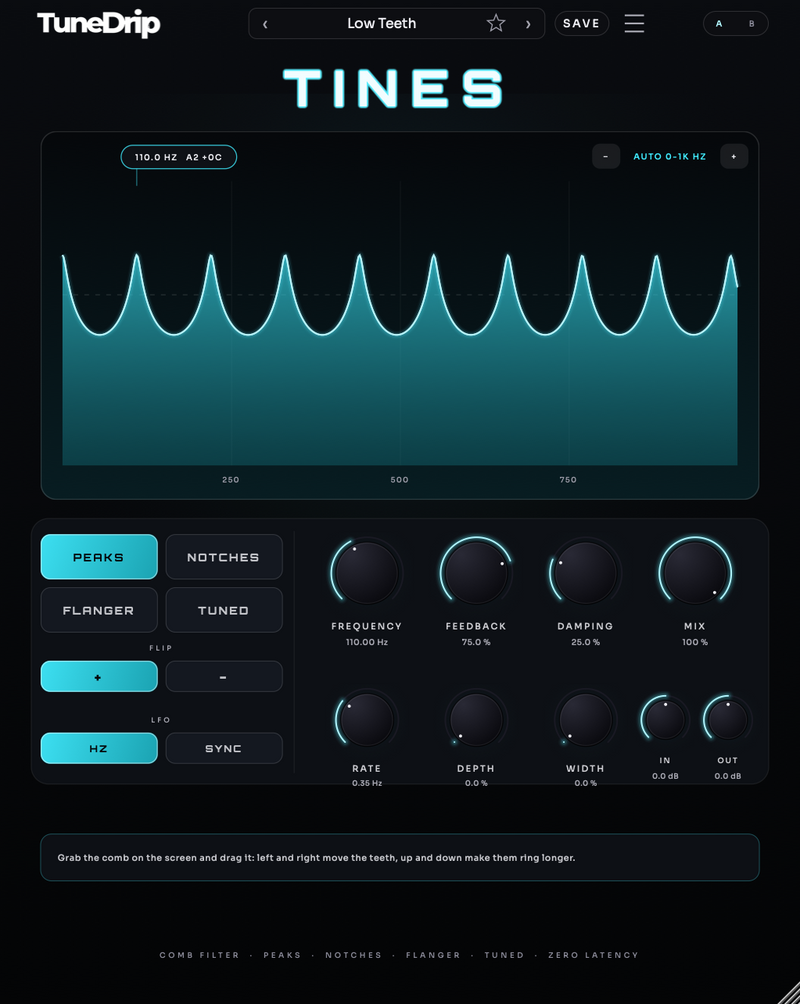
Tines interface
  • FREQUENCY – The spacing of the teeth: the pitch of the first tooth, from 10 Hz to 4 kHz. Or drag the comb on the screen.
  • FEEDBACK – How long the teeth ring, up to an almost endless resonance.
  • DAMPING – Softens the high teeth: darker and warmer.
  • MODES – Peaks, Notches, Flanger or Tuned (teeth locked to a note).
  • FLIP – Moves the teeth half a step: odd harmonics, an octave lower.
  • RATE / SYNC / DEPTH – Sweep the teeth up to an octave, in hertz or locked to your song.
  • WIDTH – Sweeps the left and right sides apart for a moving stereo image.
  1. Insert Tines on a drum loop, a bus, a pad or a noise and play.
  2. Drag the comb on the screen until the loop sings where you want it, then set the feedback.
  3. Pick a mode, try FLIP, and add movement with DEPTH and RATE or SYNC.
PeaksNotchesFlangerTuned

Get Tines now

Lifetime license · licence key by email · 3 computers.
Single pluginTines

TINES

€29,00 EURRegular price €59,00 EUR-50%
Buy now

Lifetime license · 3 computers · Mac & Windows · Instant delivery by email

Grab the Comb. Make Any Sound Ring.

  • Mac VST3 · AU · macOS 12+, Apple Silicon & Intel
  • Windows VST3 · Windows 10/11, 64-bit
  • Pro Tools AAX not available yet
  • Licence Key by email · 3 computers

Compatible with any DAW

Logic ProGarageBandAbleton LiveFL StudioStudio OneCubaseReaperBitwig

Included with Tines

Everything that ships with the plugin.

14 PRESETSFactory bank sorted by style: Peaks, Notches, Flanger, Tuned.
VST3 · AUMac: VST3 and AU (macOS 12+, Apple Silicon and Intel). Windows: VST3 (Windows 10/11, 64-bit). AAX for Pro Tools is not available yet.
3 COMPUTERSOne key by email, activation on up to 3 computers, resets by info@tunedrip.com.
TUNEDRIP HUBThe free Hub app shows your plugins and activates their licences.
DOWNLOADSDownload links in your order email and in My licenses · version 1.0.0.

Frequently asked questions

Any other question? Write to info@tunedrip.com.

What is a comb filter?

A filter whose response looks like a comb: peaks (or gaps) at one frequency and all its multiples. With feedback the peaks ring at that pitch; swept slowly, it becomes a flanger.

Can it ring in the key of my song?

Yes. In TUNED mode the first tooth locks to the nearest note, and the tuning stays exact when you add damping. The screen shows the note and how many cents it is off in the other modes.

Which formats and systems?

Mac: VST3 and AU on macOS 12 or later (Apple Silicon and Intel). Windows: VST3 on Windows 10/11 (64-bit). AAX for Pro Tools is not available yet.

How does the licence work?

A licence key is emailed right after purchase. Paste it in the plugin (or in the free TuneDrip Hub for macOS and Windows, which on Windows also installs the plugin) and click Activate: one internet connection, then the plugin works offline. Each key activates up to 3 computers; write to info@tunedrip.com to reset them.

Tines€29,00 EUR
Buy now

Tines at a glance

What it is
Audio plugin: Grab the Comb. Make Any Sound Ring.
Works in
VST3 · AU on macOS and Windows: Ableton Live, FL Studio, Logic Pro, Cubase, Studio One, Reaper, Bitwig and GarageBand.
Delivery
Download link and license key by email right after checkout. One license activates on 3 computers and includes free 1.x updates.
4.423 verified reviews · TuneDrip customers
Customer reviews

Tines reviews

Tines is new, so it has no reviews of its own yet. The score above is the average of verified reviews TuneDrip customers left on their purchases, collected by Judge.me. Own Tines? Add the first review below.

Recent verified reviews from TuneDrip customers

4.4/5 from 23 verified buyer reviews · collected by Judge.me

Love it

Love it. Use it on mostly all vocal tracks I create.

Mike✓ Verified buyer

Amazing super

Amazing super inspiring

Pranam✓ Verified buyer

estabien

esta bien

Anonymous✓ Verified buyer